top of page

Promoting stores sales

Wix Stores: Adding the "ProveSource" Social Proof App

ProveSource uses social proof to help businesses turn site traffic, sales, and data into insights your customers can see.
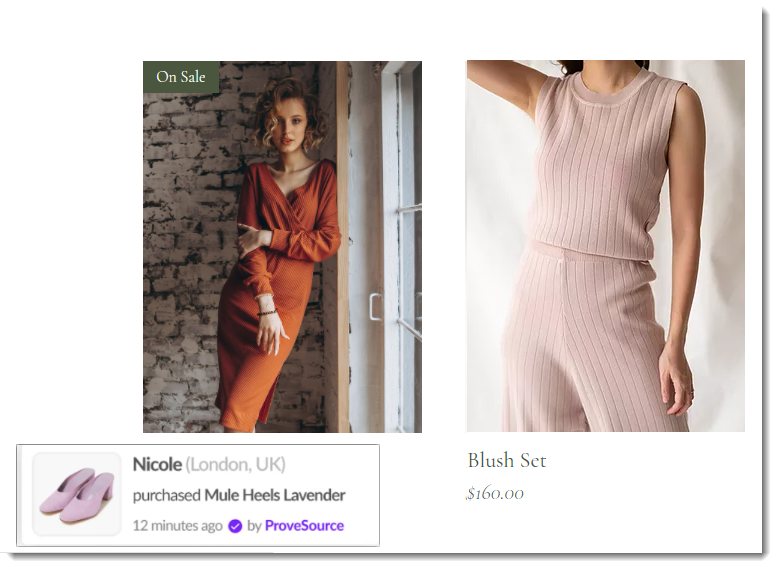
Screenshot of a shop gallery page with a ProveSource popup visible

After you integrate your site with ProveSource, the app:

  • Imports up to 30 past purchases

  • Creates a stream notification to show site visitors those purchases

Before you begin:

Make sure your site has been upgraded to a Premium plan or Studio plan that allows you to accept payments and has a domain.

To add the ProveSource app:

Wix Editor

Studio Editor

Dashboard

  1. Go to your editor.

  2. Click Add Apps   on the left side of the editor.

  3. Search for the ProveSource app in the search bar.

  4. Click Add to Site.

After adding the app, you are taken to the ProveSource dashboard. There you can perform actions such as customizing notifications, setting goals, and viewing analytics. To learn more, visit the ProveSource help center.

Need A Professional Website?
Contact Us 
Today!

Wix Invoices: Creating an Invoice

Wix Invoices: About Wix Invoices

Wix Price Quotes: Converting Price Quotes into Invoices

Wix Price Quotes: Managing Your Price Quotes

Wix Price Quotes: Creating a Price Quote

Desktop POS Solutions: Selling to Clients Using POS Checkout

Desktop POS Solutions: Collecting Payment with the Dashboard Card Reader Solution

Desktop POS Solutions: An Overview

Desktop POS Solutions: An Overview

Wix Retail POS: Managing Your Store's Staff

Wix Retail POS: Managing Shift Management for Team Members

Wix Retail POS: Managing Your Customer List

Wix Retail POS: Viewing Your Sales Report

Wix Retail POS: Managing Your Sales History

Wix Retail POS: Creating Invoices

Wix Retail POS: Accepting Exchanges from Customers

Wix Retail POS: Issuing Refunds

Wix Retail POS: Managing Business Locations

Wix Retail POS: Services Displayed on the Retail POS Tablet

Wix Retail POS: Accepting Payment for a Booked Session

Wix Retail POS: Booking Services and Accepting Payment

Wix Retail POS: About Purchase Orders

Wix Retail POS: Offering Shipping or Delivery

Wix Retail POS: Managing Out-of-Stock Inventory

Wix Retail POS: Setting Product Visibility for POS and Desktop

Wix Retail POS: Managing Your Store Catalog

Wix Retail POS: Creating Product Categories

Wix Retail POS: Adding New Products to the Catalog

Wix Retail POS: Selling Store Products at Your POS

Wix Retail POS: Customizing Printed Receipts

wix experts
Graphic2Traffic web design
©
bottom of page